
How Outlook client-side signatures work
Learn how Signature 365 client-side signatures are enabled and inserted in Outlook when the add-in is installed.
Microsoft 365 client-side signatures are enabled when either the client-side or both option is selected in the Signature 365 setup wizard:
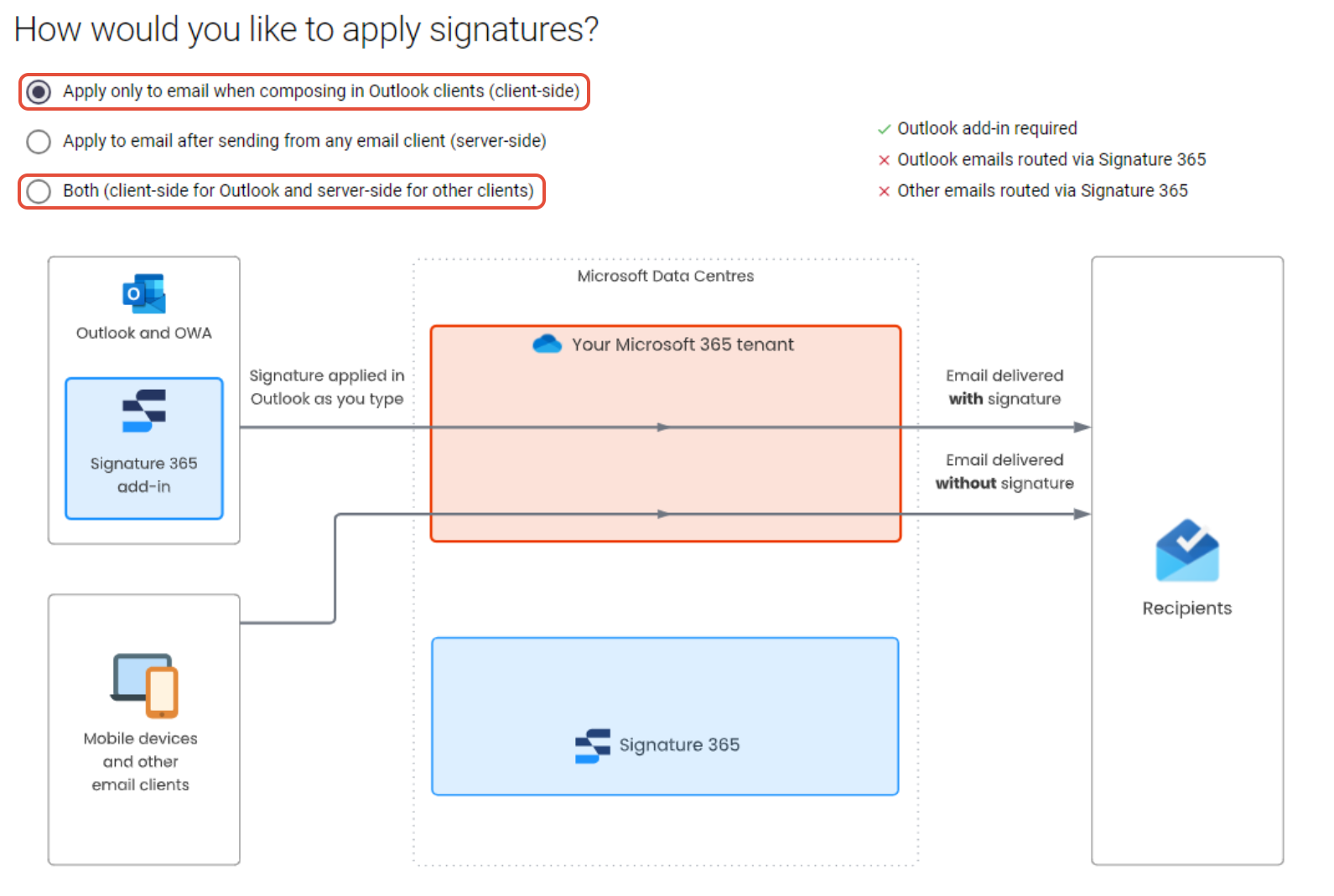
When either of these options are selected, and the Signature 365 add-in is installed, signatures are automatically inserted in newly composed emails in Outlook as they are created.
Please see the following article: How to install the Outlook add-in for information on installing the Signature 365 add-in.
Enable legacy Exchange Online tokens
Temporarily re-enable legacy Exchange Online tokens while upgrading the Signature 365 add-in or granting required permissions.
How to enable debug log in Outlook add-in
Enable or disable Outlook add-in debug logging in Windows by creating the required Office registry keys.